Usage & Cost
Track real token usage and cost across your Workspace — not estimates. Administrator-only page.
Track real token usage and cost across your Workspace — not estimates. Administrator-only page.
Enterprise edition. Usage & Cost is part of the Enterprise edition; the Community edition does not show it.
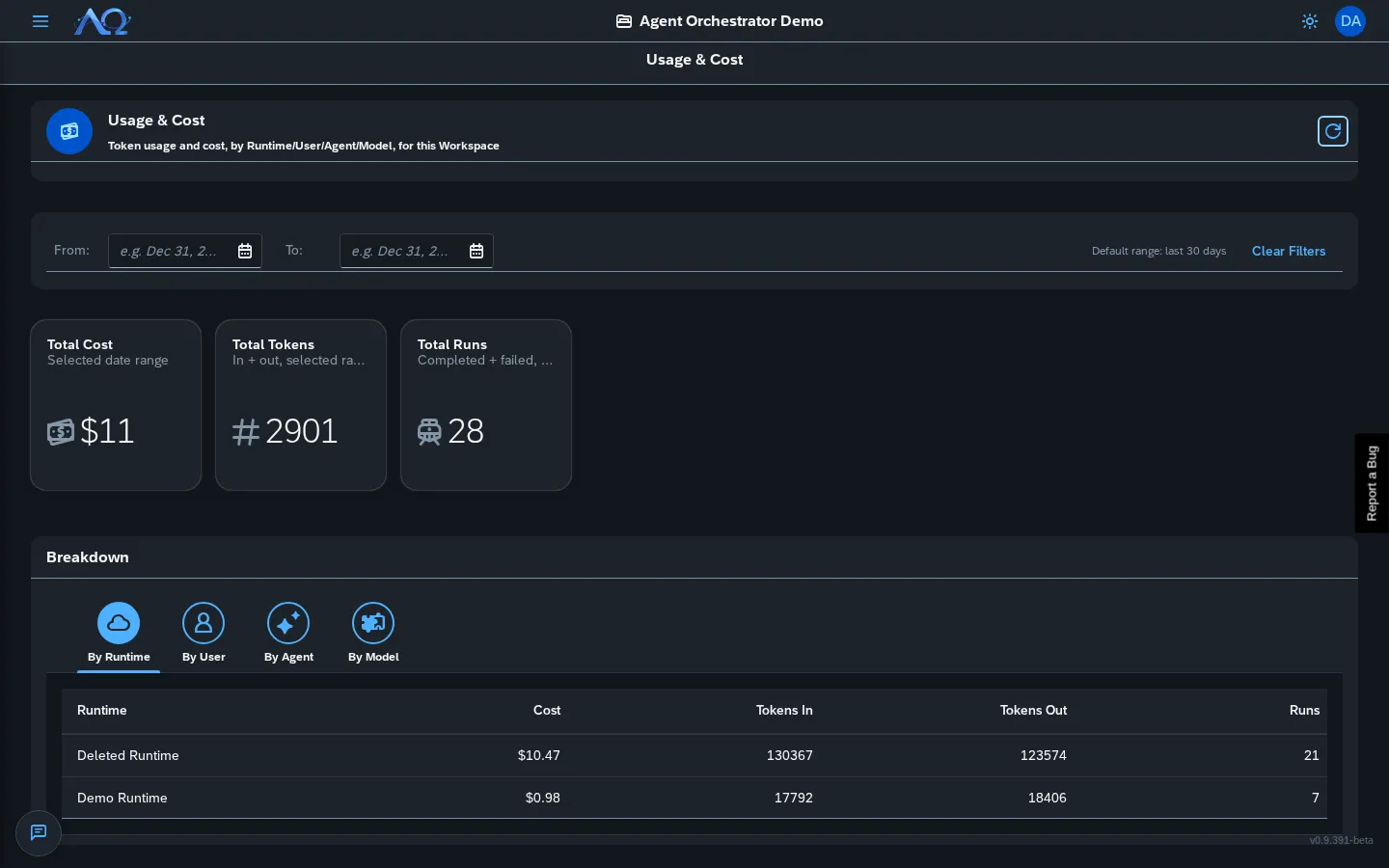
Overview
The Usage & Cost page shows:
KPI Tiles (Top Row)
| Metric | Description |
|---|---|
| Total Cost | Sum of all run costs in date range |
| Total Tokens | Input + output tokens |
| Total Runs | Count of completed runs |
Default range: Last 30 days (configurable via date pickers).
Breakdown Tabs
Switch between four dimensions:
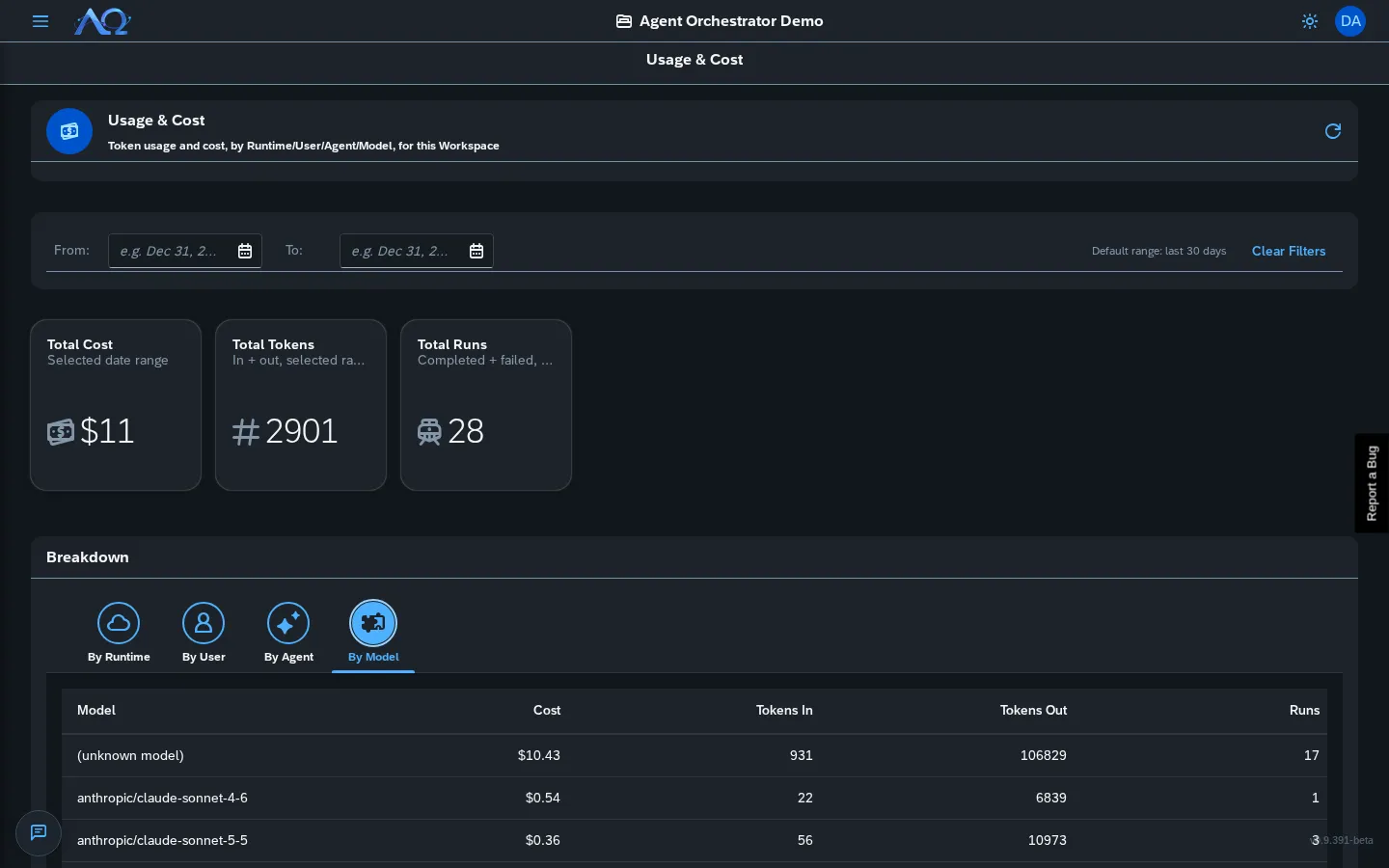
| Tab | Groups By | Use Case |
|---|---|---|
| By Runtime | Runtime name | Which execution environment costs most |
| By User | User email | Who triggered the most expensive runs |
| By Agent | Agent name | Which agents consume most resources |
| By Model | Model name | Compare model costs (e.g., Claude vs GPT) |
Each tab shows a table:
- Label — Runtime/User/Agent/Model name
- Cost — Total USD
- Tokens In — Input tokens
- Tokens Out — Output tokens
- Runs — Count
Sorted by cost descending.
Date Range Filter
Toolbar at top:
- From — Start date (defaults to 30 days ago)
- To — End date (defaults to today)
- Clear Filters — Reset to default 30-day range
Data refreshes automatically on filter change.
What’s Tracked
Per run, the daemon captures from opencode:
tokens_in— Input tokens (prompt + context)tokens_out— Output tokens (completion)cache_read_tokens— Cached input tokenscache_write_tokens— Cached output tokensreasoning_tokens— Reasoning/effort tokens (if model supports)cost— Calculated USD costmodel_used— Model identifiertriggered_by—user/agent/scheduler/system
Stored in runs table (V29 migration).
Data Sources
| Source | What It Captures |
|---|---|
| Daemon | opencode step_finish events → token/cost per run |
| Backend | Aggregates on /complete and /fail callbacks |
| PostHog | Server-side product analytics (specs/020) — business events |
Permissions
- Administrator — Full access to Workspace’s usage
- System Administrator — All Workspaces (via instance settings)
- Members — No access
Product Analytics (PostHog)
Separate from Usage & Cost — tracks business lifecycle events:
| Event Category | Examples |
|---|---|
| Auth | user_signed_up, user_logged_in, sso_login |
| Workspace | workspace_created, member_added, member_role_changed |
| Agents | agent_created, agent_updated, skill_assigned |
| Skills | skill_created, skill_published, skill_imported |
| Tasks | task_created, task_assigned, task_status_changed |
| Runs | run_started, run_completed, run_failed |
| Deliveries | delivery_proposed, delivery_approved, delivery_rejected |
| Squads | squad_created |
| MCP | mcp_server_created |
| Runtimes | runtime_registered |
Privacy: distinct_id = user UUID (matches frontend posthog.identify), daemon events use triggered_by. No PII in event properties.
Configuration
Instance settings (System Admin only) → Observability tab:
- Analytics Enabled — Toggle PostHog event capture (default: on)
- OTel Logs Enabled — Toggle log shipping (default: on)
- Both require env vars (
POSTHOG_API_KEY,OTEL_EXPORTER_OTLP_LOGS_ENDPOINT)
Recent Updates
- Usage & Cost Tracking — Real token/cost data per run, workspace totals, breakdown by Runtime/User/Agent/Model
- Product Analytics — Server-side event capture to PostHog for business lifecycle events
- Date Range Filter — Configurable range with 30-day default