Runtimes & Audit Log
Runtimes are the daemon processes that execute Agent Runs. You register and control them — full control over where code and data get processed.
Runtimes
Runtimes are the daemon processes that execute Agent Runs. You register and control them — full control over where code and data get processed.
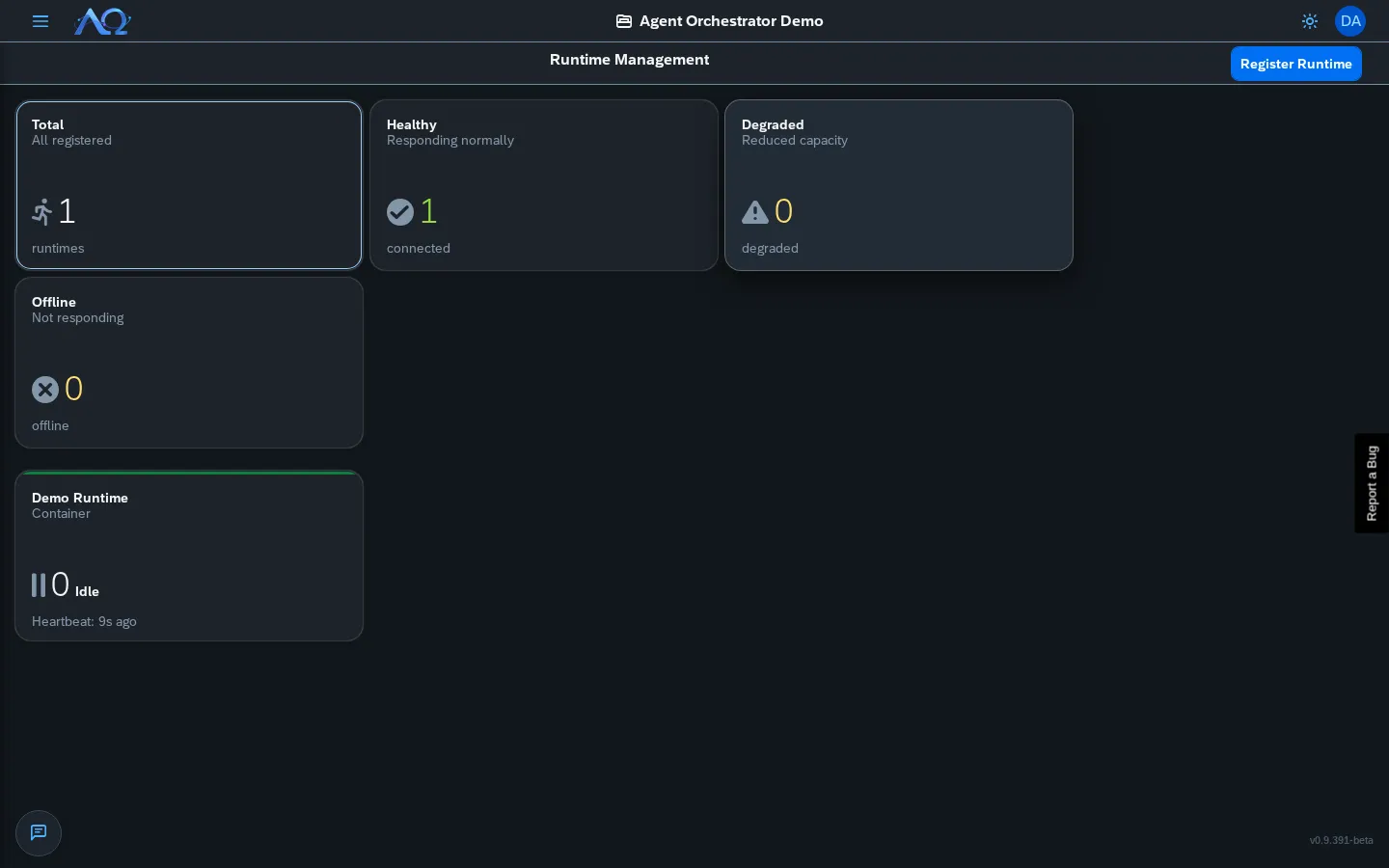
Runtime Management
The Runtimes page shows KPI tiles + card grid:
- Total — All registered runtimes
- Healthy — Heartbeat recent, capacity available
- Degraded — Heartbeat recent but at capacity
- Disconnected — No heartbeat for > 5 minutes
Runtime Cards
Each card shows:
- Name — Custom display name
- Type — Docker / Remote / Local
- Status — Healthy / Degraded / Disconnected badge
- Host — Hostname or container ID
- Active Runs — Current / Max
- Last Heartbeat — Relative time
Runtime Detail
Click a card to open the detail dialog:
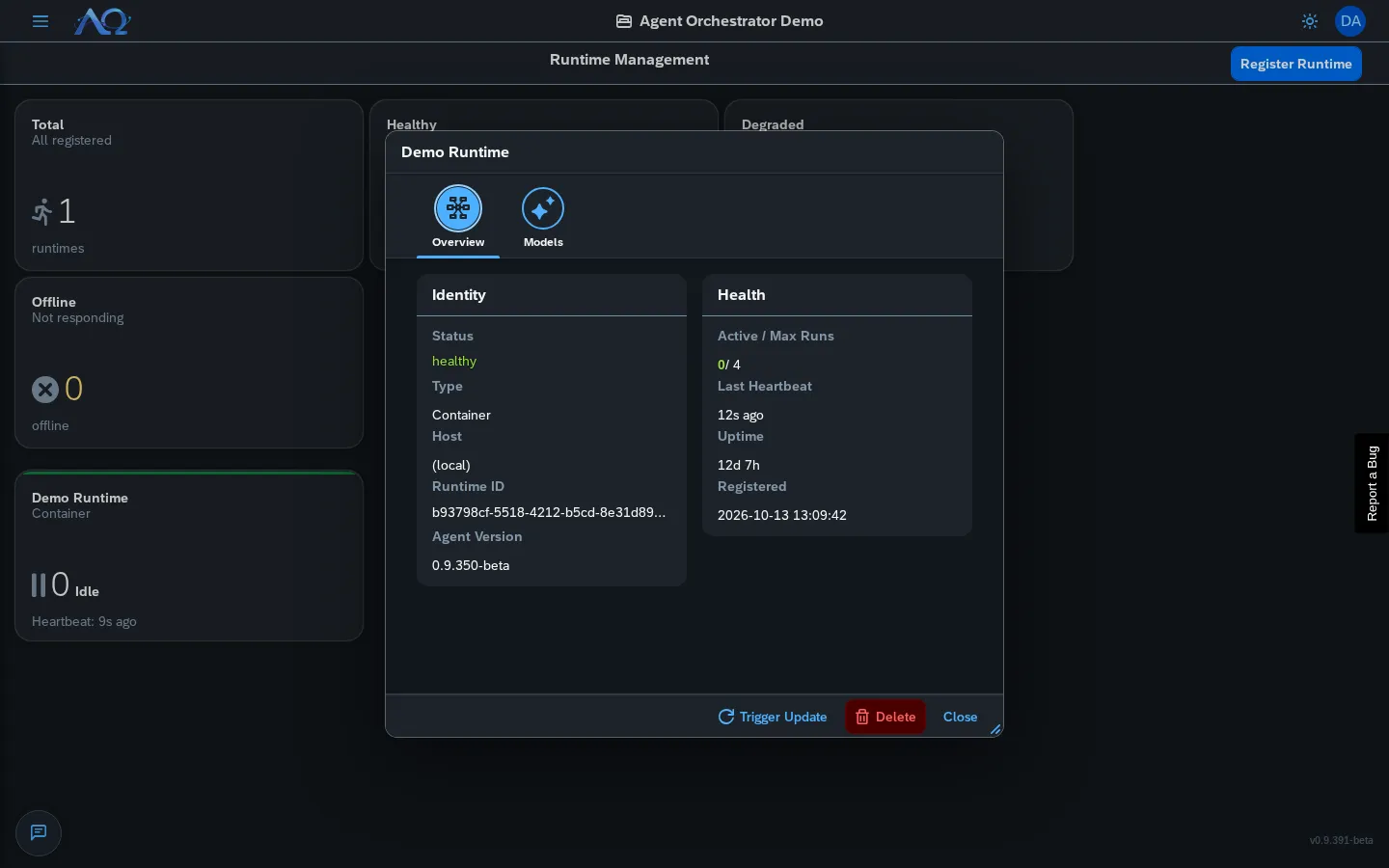
Tabs:
- Identity — ID, type, host, agent version
- Health — Active/max runs, heartbeat, uptime, registered date
- Available Models — Models discovered by the daemon (via
PATCH /runtimes/{id}/models)
Registering a Runtime
- Runtimes page → Register Runtime
- Copy the generated token
- Run the daemon with
AGENTHUB_TOKEN=<token>
# Docker
docker run -d \
  -e AGENTHUB_SERVER_URL=http://your-ao:8082 \
  -e AGENTHUB_TOKEN=<token> \
  -v agenthub-workspaces:/root/agenthub_workspaces \
  simplifierag/miri:daemon

# Local
export AGENTHUB_SERVER_URL=http://your-ao:8082
export AGENTHUB_TOKEN=<token>
python3 agenthub_daemon.py start --foreground
Filtering & Status
Toolbar: Status filter (All/Healthy/Degraded/Disconnected) + Refresh button.
Audit Log
Enterprise edition. The Audit Log is part of the Enterprise edition; the Community edition does not show it.
Complete, append-only record of every meaningful action in the Workspace.
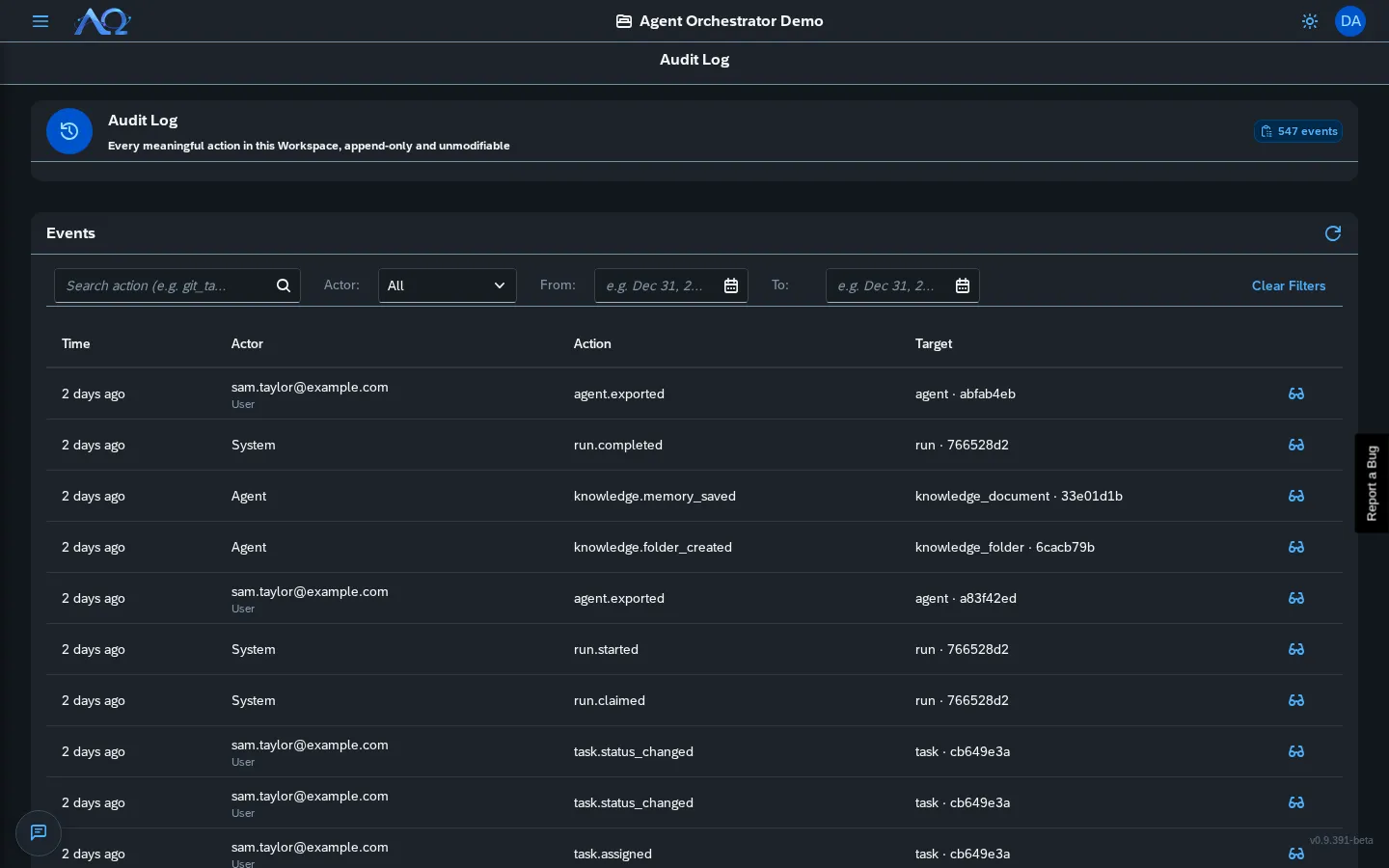
What’s Logged
| Category | Examples |
|---|---|
| Tasks | Created, assigned, status changes, deleted |
| Runs | Started, completed, failed, cancelled |
| Agents | Created, updated, deleted, skill assignments |
| Skills | Created, published, imported, versioned |
| Projects | Created, Git target configured, deliveries |
| Deliveries | Approved, rejected, pushed, merge outcomes |
| Members | Added, role changed, removed |
| Workspaces | Created, settings changed, label customization |
| Runtimes | Registered, heartbeat, status changes |
| MCP Servers | Created, updated, enabled/disabled |
| Auth | Login, logout, SSO events (instance-level only) |
Filtering
Toolbar:
- Search — Substring match on action
- Actor Kind — User / Agent / System / Runtime
- Date Range — From / To date pickers
- Clear Filters — Reset all
Event Detail
Click View details on any row → dialog with full JSON:
Shows:
- Timestamp, actor (ID + type), action
- Target (ID + type)
- Full
detailsobject (what changed, before/after)
Properties
- Append-only — No endpoint can edit/delete past events
- Workspace-isolated — Admins see only their Workspace
- Searchable — By action, actor, date range
- Unmodifiable — Database constraint enforced
Recent Updates
- Available Models Panel — Runtime detail shows models discovered by daemon
- Audit Log Filters — Search, actor kind, date range
- Delivery Merge Outcomes — Audit log tracks
merged/push_failedwith error reasons