Projects & Git Delivery
Projects group related Tasks inside a Workspace. Attach a real Git repository to enable safe, governed code delivery.
Projects group related Tasks inside a Workspace. Attach a real Git repository to enable safe, governed code delivery.
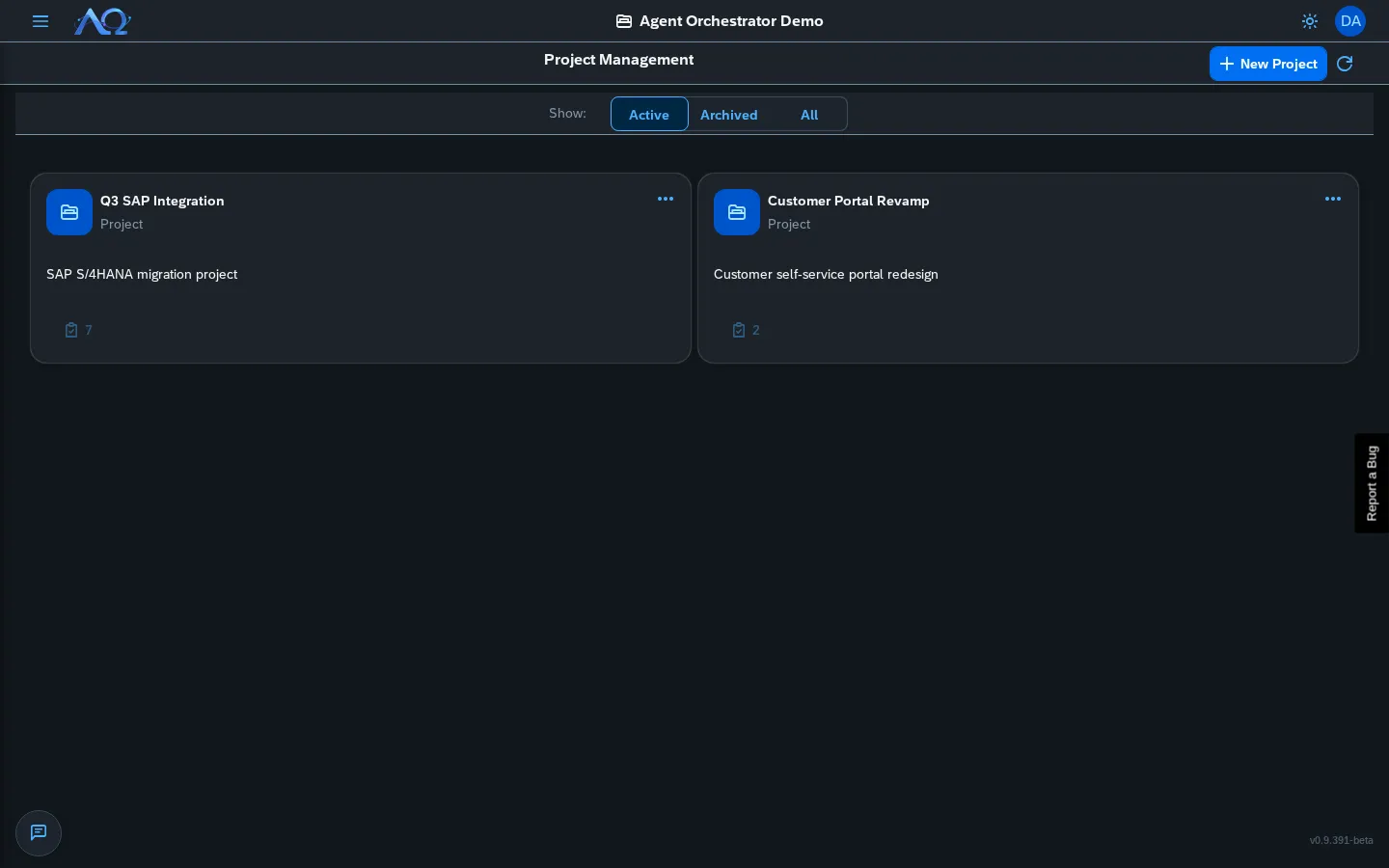
Projects
Creating a Project
- Projects page → New Project
- Name + description
- Save — Project appears in card grid
Each card has a menu with Edit and Delete.
Project Detail
Click a project to open its detail page:
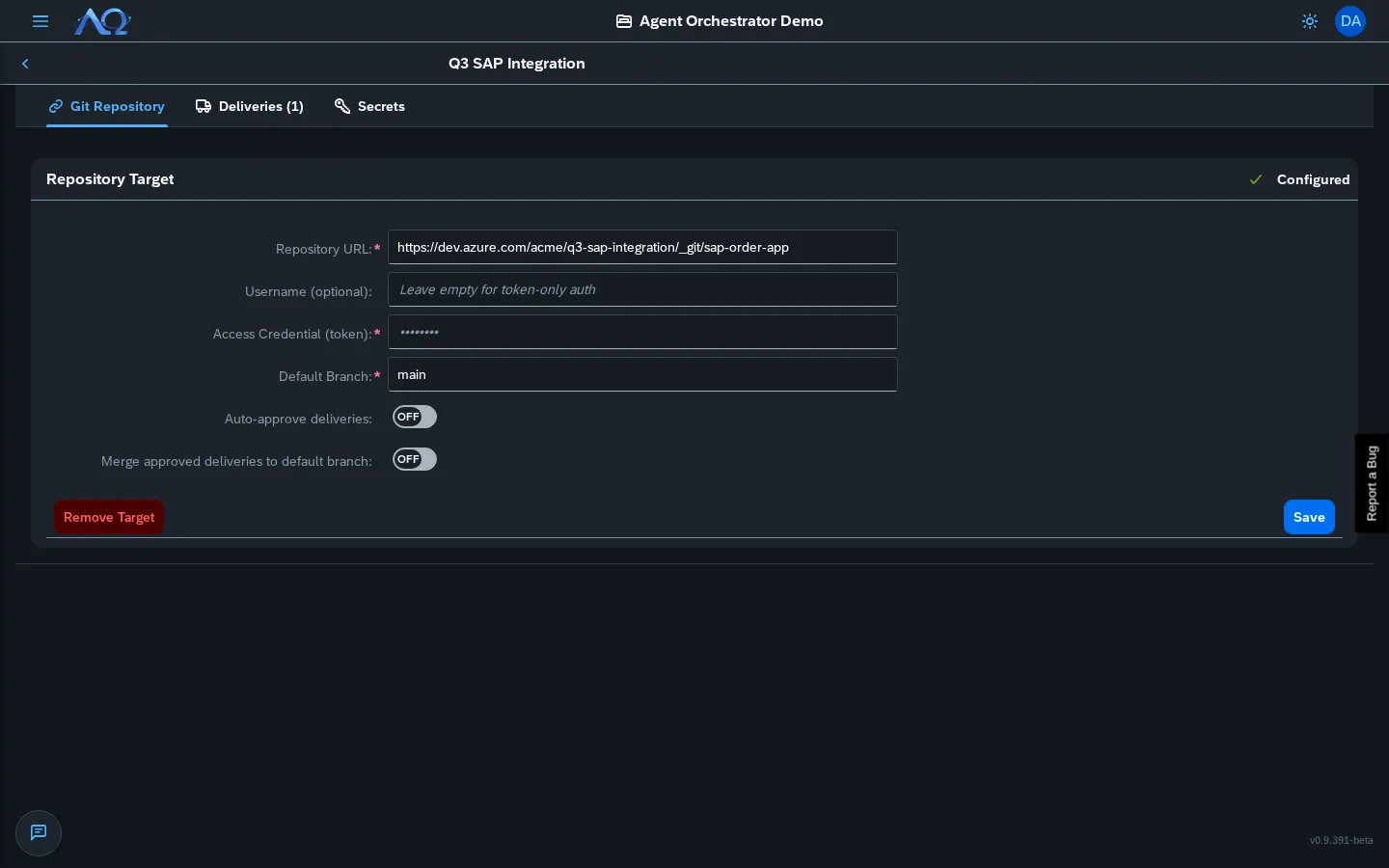
Sections:
- Header — Name, description, member count
- Git Repository Target — Configure repo connection
- Auto-approve Deliveries — Per-project opt-in
- Merge to Default Branch — Per-project opt-in
- Pending Deliveries — Awaiting review
- Delivery History — All deliveries (approved/rejected/failed)
Git Repository Target
Connect a real Git repository so agents check out your actual codebase.
Configuration
| Field | Description |
|---|---|
| Repository URL | HTTPS or SSH (e.g., https://github.com/org/repo.git) |
| Username | Optional — for token-only auth leave empty; required for git servers needing user+pass |
| Access Credential | Token (if username empty) or Password (if username set) |
| Default Branch | Target branch for merges (e.g., main, master) |
How It Works
- Agent Task runs → daemon shallow-clones repo to run workdir
- Agent makes changes → commits locally
- On completion → daemon captures diff (
base_commit..HEAD) - Diff uploaded as Pending Delivery → awaits human review
Credential security: Stripped from git remote immediately after clone; local commit identity set to git target’s username or generic “Agent Orchestrator”.
Delivery Workflow
Pending Deliveries
Every completed run with a Git target creates a delivery:
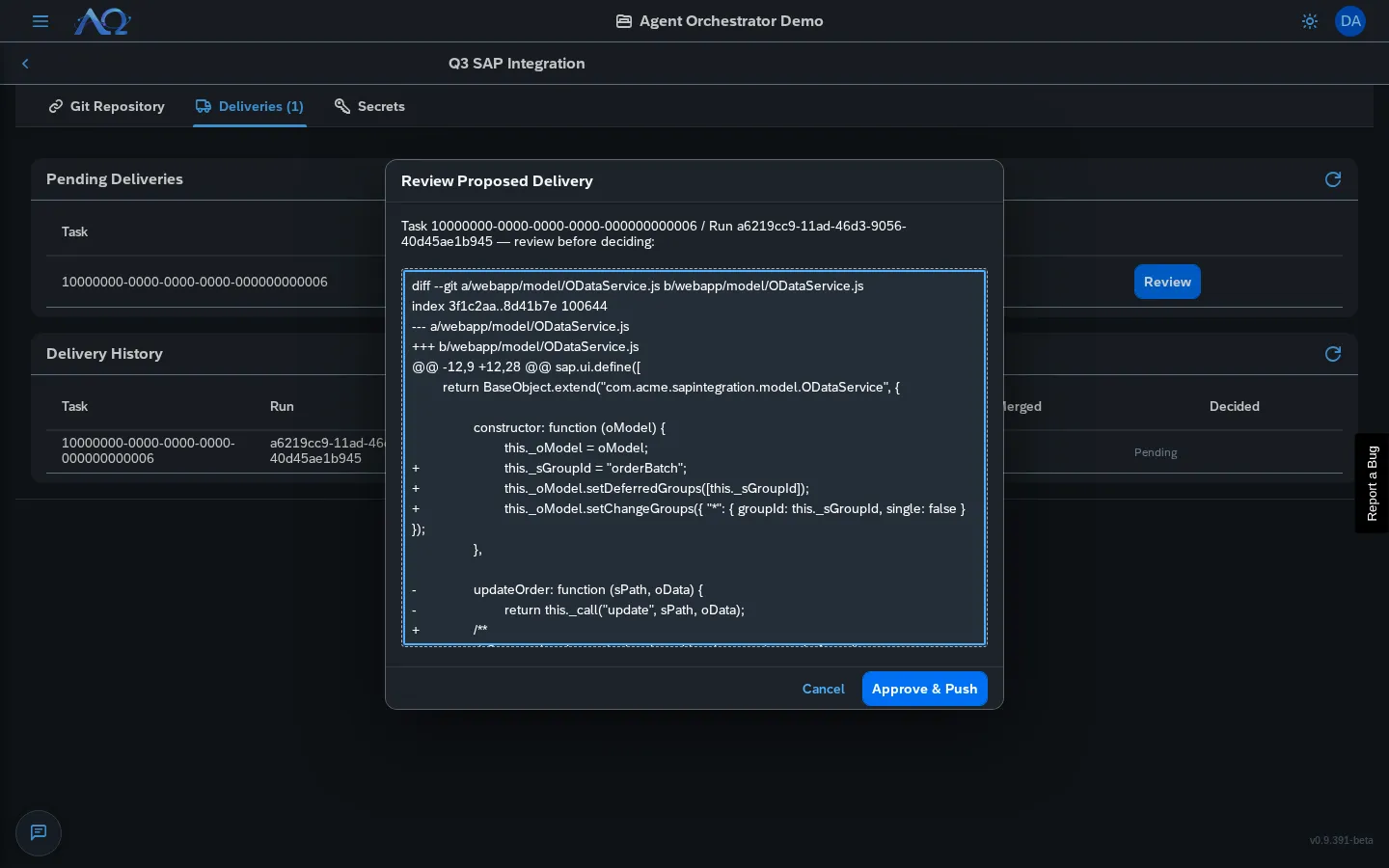
Review Dialog shows:
- Full unified diff (all changes since base commit)
- Files added/modified/deleted
- Binary file indicators
Actions
| Action | Result |
|---|---|
| Approve | Pushes to new branch agenthub/task-<id>-run-<id> (never default branch) |
| Reject | Nothing leaves Agent Orchestrator |
| Auto-approve | If enabled, skips review → same branch push |
Auto-approve Deliveries
Per-project opt-in (Administrator-only):
- Project Detail → Auto-approve Deliveries switch
- Only enabled once Git target configured
- Every auto-approved delivery still logged in Audit Log with
autoApproved: true
Merge to Default Branch
Per-project opt-in (Administrator-only):
- Project Detail → Merge approved deliveries to default branch switch
- When enabled, approved deliveries auto-merge to default branch after push
- Merge conflicts → delivery marked
push_failedwith error; no silent failure
Delivery History
Full audit trail of every delivery:
| Status | Meaning |
|---|---|
pending |
Awaiting review |
pushed |
Approved, pushed to task branch |
rejected |
Human rejected |
push_failed |
Git error (conflict, permissions, etc.) |
merged |
Auto-merged to default branch |
Failed deliveries show error reason — nothing silently lost.
Assigning Tasks to Projects
- Task Creation — Project dropdown in New Task dialog
- Task Detail — Project chip → click to change
- Task Board — Project filter dropdown
Recent Updates
- Git Repository Target — Attach real git repos, agents check out actual codebase
- Auto-approve Deliveries — Per-project opt-in to skip human review (still audited)
- Merge to Default Branch — Per-project opt-in to auto-merge approved deliveries
- Delivery History — Full audit trail with failure reasons