Agents
Agents are configured AI workers with a name, system prompt, model, assigned Skills, MCP servers, and explicit tool permissions.
Agents are configured AI workers with a name, system prompt, model, assigned Skills, MCP servers, and explicit tool permissions. Each agent is a repeatable, governed expert — not a one-off chat prompt.
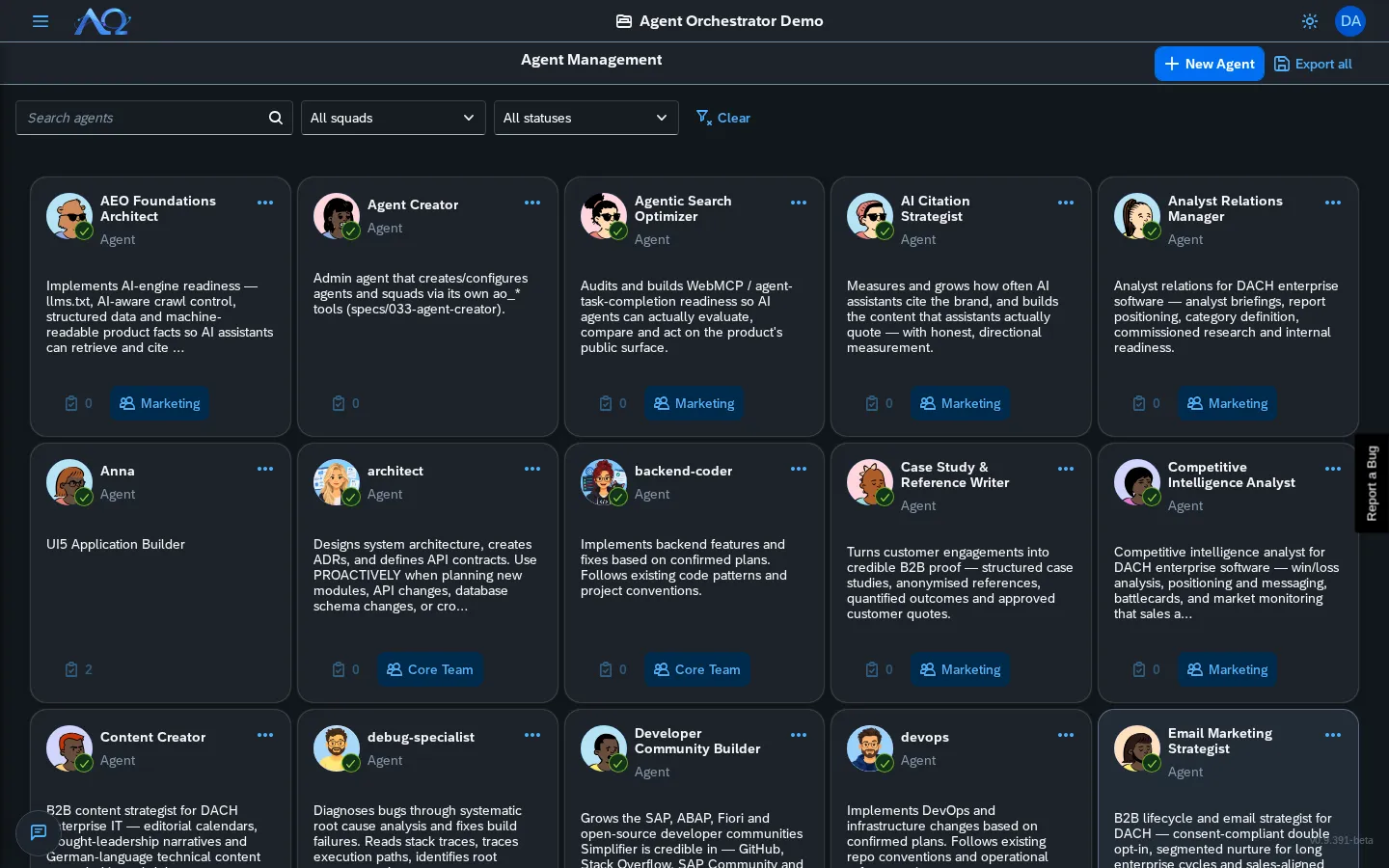
Agent List
The Agents page shows a card grid of all agents in the current Workspace.
Each card displays:
- Avatar — Upload custom image or use generated initials
- Name — Click to open Agent Detail
- Squad label — If the agent belongs to one or more Squads
- Description — Truncated to 4 lines (2 on mobile)
- Card menu — Open Chat and Create Task (both only for an active agent) and Disable agent / Enable agent
Agent Detail
Click an agent card to open the full detail view with tabs:
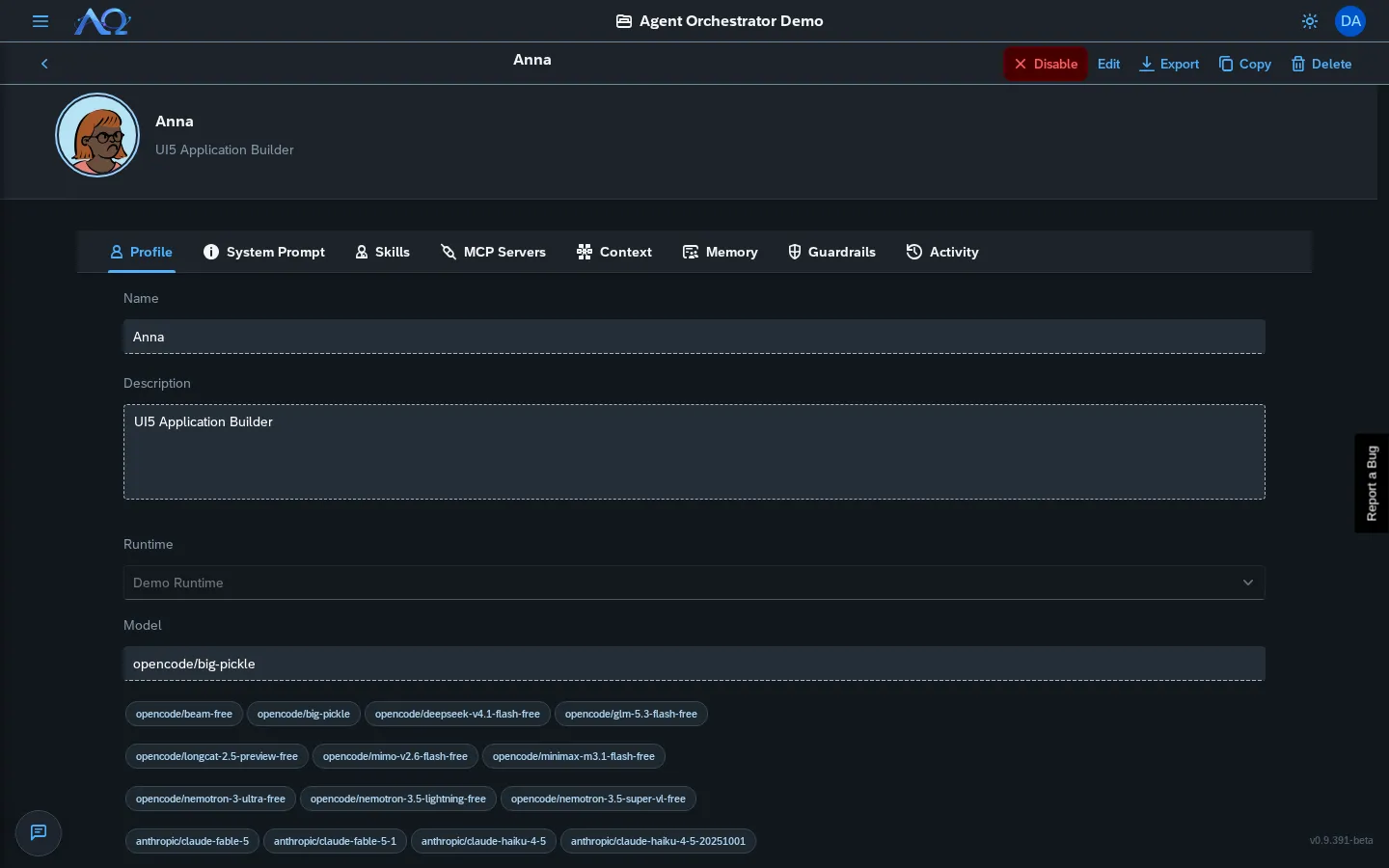
Profile Tab
- Identity — Name, description, avatar
- System Prompt — Full prompt editor with syntax highlighting
- Execution — Runtime selection, model, temperature, max tokens
- Squad Memberships — Which squads this agent belongs to
System Prompt Tab
Full-screen editor for the agent’s system prompt. This is the core instruction that defines the agent’s behavior.
Skills Tab
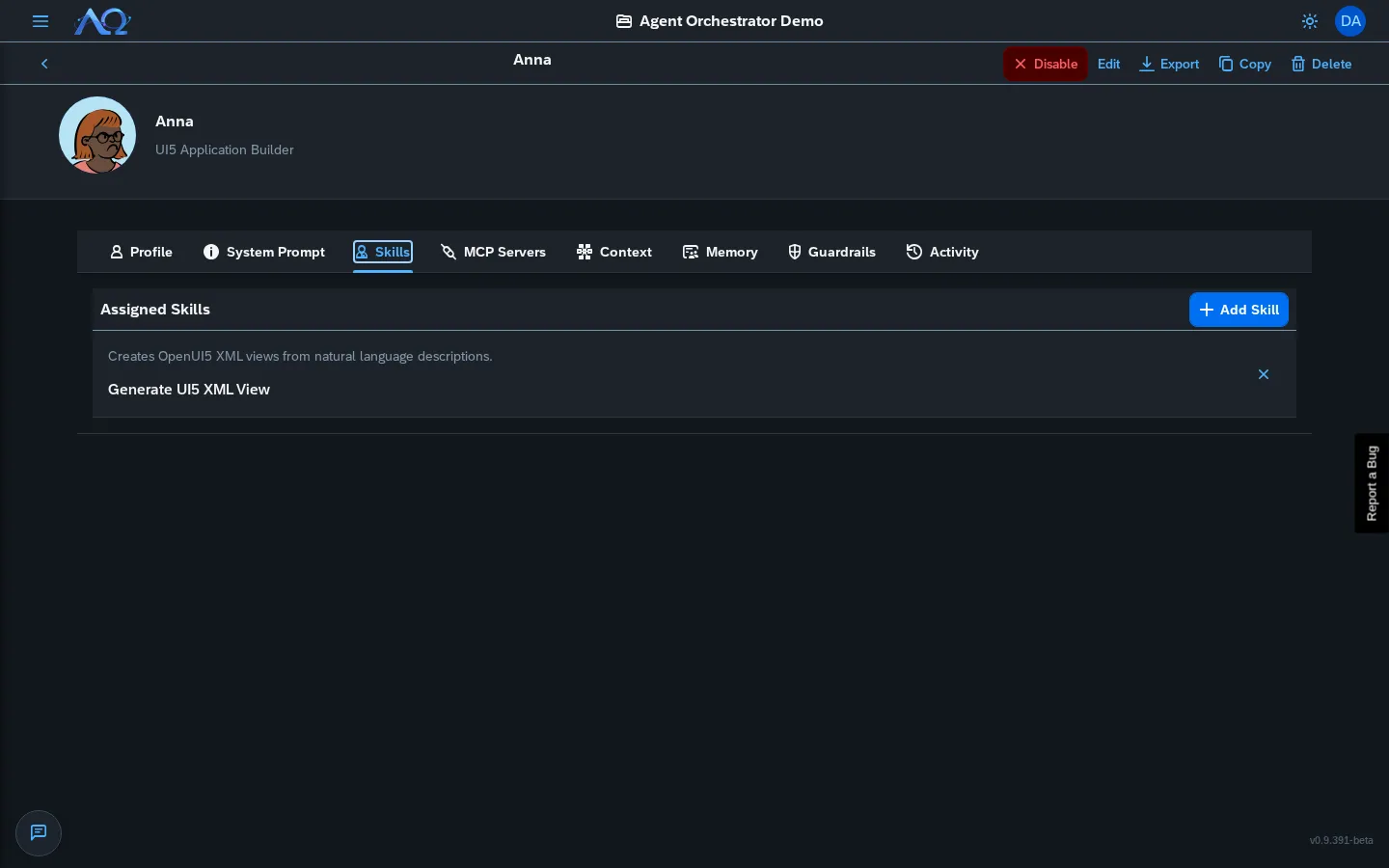
- Assigned Skills — List with version, category, enable/disable toggle
- Add Skill — Search and assign from Workspace’s skill registry
- Remove Skill — Unassign (keeps skill in registry)
MCP Servers Tab
- Configured Servers — Name, URL, status, enable/disable
- Add Server — URL + optional auth headers
- Test Connection — Verify before saving
Activity Tab
Live feed of everything this agent has done:
- Runs (with status, duration, tokens)
- Skill assignments/removals
- Context config changes
- Filter by date range
Edit Mode
Click Edit to modify:
- Name, description, avatar
- System prompt
- Execution settings
- Save / Cancel
Agent Context Manager
Per-agent control over every context source the agent receives at runtime.
| Source | Control |
|---|---|
| System Prompt | Base prompt + custom suffix |
| Skills | Toggle each assigned skill on/off |
| MCP Servers | Toggle each configured server on/off |
| Knowledge Folders | Select readable folders (personal + workspace-global + project) |
| Guardrails | Max knowledge chunks, custom rules |
Live Preview — See the exact context that will be sent to the agent before saving.
Agent Squads
Assign a Task to a Squad — a team of agents under a Leader who delegates to members.
Squad Structure
- Leader — Receives the Task, breaks it down, delegates to members
- Members — Execute delegated sub-tasks in parallel
- Each delegation = a child Run (auditable, usage-tracked, own chat/logs)
Creating a Squad
- Agents page → New Squad (or Squad Detail → New Squad)
- Name + description
- Select Leader (must be an Agent)
- Add Members (Agents)
- Save
Squad Detail
Click a squad to see:
- Org Chart — Visual leader→members tree (SVG, pan/zoom)
- Overview — Description, leader readout
- Activity — All runs from this squad’s tasks
Agent Knowledge & Memory
Agents use the knowledge base as long-term memory — personal folders + RAG read/write at runtime.
Personal Knowledge Folders
- Agent Detail → Memory tab → List of personal folders
- Create Folder — Name + description
- Upload Documents — Drag-drop or select files
- Delete — Remove folder + contents
To see and manage every folder of the Workspace in one place, use the Knowledge page — see Knowledge.
At Runtime
The agent-memory MCP server exposes:
memory_search— Semantic search across readable foldersmemory_remember— Save content to personal foldermemory_list_folders/memory_create_folder
Read access = personal + workspace-global + project folders Write access = personal folders only
Agent Copy & Export
Copy Between Workspaces
System Administrator only — Copy an agent (with skills, config, squad memberships) to another Workspace.
- Agent Detail → Copy button
- Select target Workspace
- Review
ApplyReport(created skills vs reused, unresolved runtime, warnings) - Confirm — Agent lands disabled in target Workspace
Export Entire Roster
Workspace Administrator — Export all agents as a single .ao artifact:
- Agents page → Export All
- Downloads
.aofile (optionally encrypted with?encrypt=true) - Import on another AO instance → Import button
Excludes: agent secrets, knowledge folder contents, squad memberships (references only).
Agent Creator
Agents with the Admin grant (include_agent_admin) can create/configure agents and squads during their own runs via the AO MCP server.
Enabling
Agent Detail → Context tab → Include Agent Admin checkbox (default off, independent of “Include AO Tools”)
Capabilities (inside a run)
ao_create_agent— Create + bind runtime + optional squad/skill assignao_update_agent— Modify agent configao_create_squad— Create squad with leader/membersao_add_squad_member— Add member to squadao_list_squads— List squads in workspace
Guardrails:
- Create/update only (no delete/remove/unassign)
- Daemon-mode only (not available in standalone CLI)
- No self-replication (created agents have both grants off)
- All changes human-reviewable in Audit Log
Recent Updates
- Agent Context Manager — Per-agent control over skills, MCP servers, knowledge folders, guardrails with live preview
- Agent Squads — Team-based delegations with leader and members, each delegation a tracked child run
- Agent Knowledge/Memory — Personal knowledge folders with read/write at runtime via RAG
- Agent Copy & Export — Copy agents between workspaces, export entire roster as .ao artifact
- Agent Creator — Agents with Admin grant can create/configure agents and squads during runs